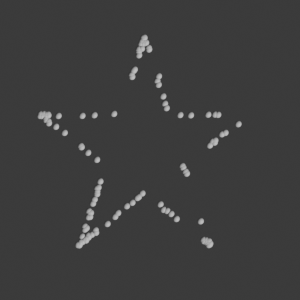
import bpy
bpy.app.version_string # current blender version
'5.2.2 LTS'import bpy
bpy.app.version_string # current blender version'5.2.2 LTS'import sys
from pathlib import Path
import databpy as db
import numpy as np
import polars as pl
# The kernel runs inside Blender (not in the notebook folder), so add the docs helpers to sys.path
sys.path.append(str(Path.home() / "projects/bpy-gallery/docs/utils"))
from gallery_utils import ASSETS, fresh_scene, render_result
# Set render resolution
bpy.context.scene.render.resolution_x = 500
bpy.context.scene.render.resolution_y = 200
def camera_from_above():
camera = bpy.context.scene.camera
camera.location = (6, 4, 10) # Position above the XY plane
camera.rotation_euler = (0, 0, 0) # Rotate to look at XY plane
# Set the camera to orthographic mode
camera.data.type = 'ORTHO'
# Set the orthographic scale to 12
camera.data.ortho_scale = 9
bpy.context.scene.render.resolution_x = 300
bpy.context.scene.render.resolution_y = 300The node group that places a sphere on every point, written with nodebpy:
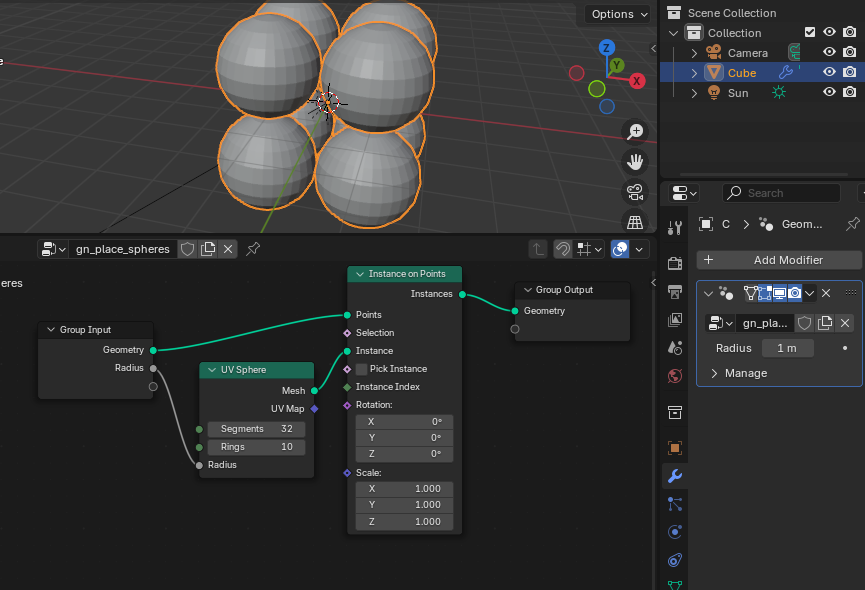
from nodebpy import geometry as g

with g.tree("gn_place_spheres") as tree:
    geometry = tree.inputs.geometry("Geometry")  # Socket_0
    radius = tree.inputs.float("Radius", 1.0, min_value=0.0, subtype="DISTANCE")  # Socket_1
    _ = (
        geometry
        >> g.InstanceOnPoints(instance=g.UVSphere(radius=radius, rings=10))
        >> tree.outputs.geometry("Geometry")
    )

node_group_place_spheres = tree.tree
single_vertex = np.array([[6, 4, 0]])
# Create a mesh object with the single vertex
my_point_obj = db.create_object(single_vertex, name="SinglePoint")
# Print the name of the created object
#print(my_point_obj.name)
camera_from_above()
modifier = my_point_obj.modifiers.new(name="GeometryNodes", type='NODES')
modifier.node_group = node_group_place_spheres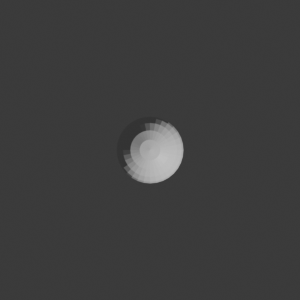
my_point_obj.modifiers["GeometryNodes"].properties.inputs.Socket_1.value = 4 # set radius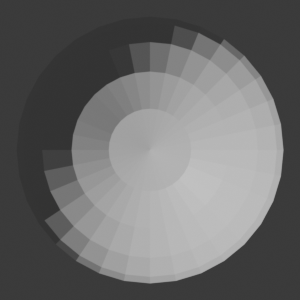
url = 'https://raw.githubusercontent.com/kolibril13/ipydrop/refs/heads/main/dino.csv'
df1 = pl.read_csv(url)
length_data = len(df1)

# Scale and transform the coordinates from the dataframe
x = df1['x'] / 10
y = df1['y'] / 10 * 0.8

print(f"Loaded {length_data} rows")
df1.head()
Loaded 142 rows| x | y |
|---|---|
| f64 | f64 |
| 55.3846 | 97.1795 |
| 51.5385 | 96.0256 |
| 46.1538 | 94.4872 |
| 42.8205 | 91.4103 |
| 40.7692 | 88.3333 |
# Create 3D points with z=0
coords = np.array(list(zip(x, y, [0]*len(x))))

my_point_obj = db.create_object(coords, name="Deno")

modifier = my_point_obj.modifiers.new(name="GeometryNodes", type='NODES')
modifier.node_group = node_group_place_spheres

my_point_obj.modifiers["GeometryNodes"].properties.inputs.Socket_1.value = 0.2  # Set radius

camera_from_above()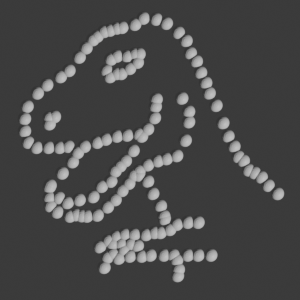
my_point_obj.modifiers["GeometryNodes"].properties.inputs.Socket_1.value = 0.1 # Set radius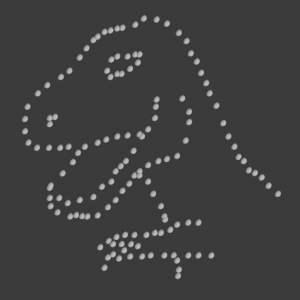
# Also possible to change the data points
url = 'https://raw.githubusercontent.com/kolibril13/ipydrop/refs/heads/main/star.csv'
df = pl.read_csv(url)

x = df['x'] / 10
y = df['y'] / 10 * 0.8

df.head()| x | y |
|---|---|
| f64 | f64 |
| 58.213608 | 91.881892 |
| 58.196054 | 92.214989 |
| 58.718231 | 90.310532 |
| 57.278373 | 89.907607 |
| 58.08202 | 92.008145 |
coords = np.array(list(zip(x, y, [0]*len(x))))

db.store_named_attribute(my_point_obj, coords, "position")
my_point_obj.data.update()
bpy.context.view_layer.update()